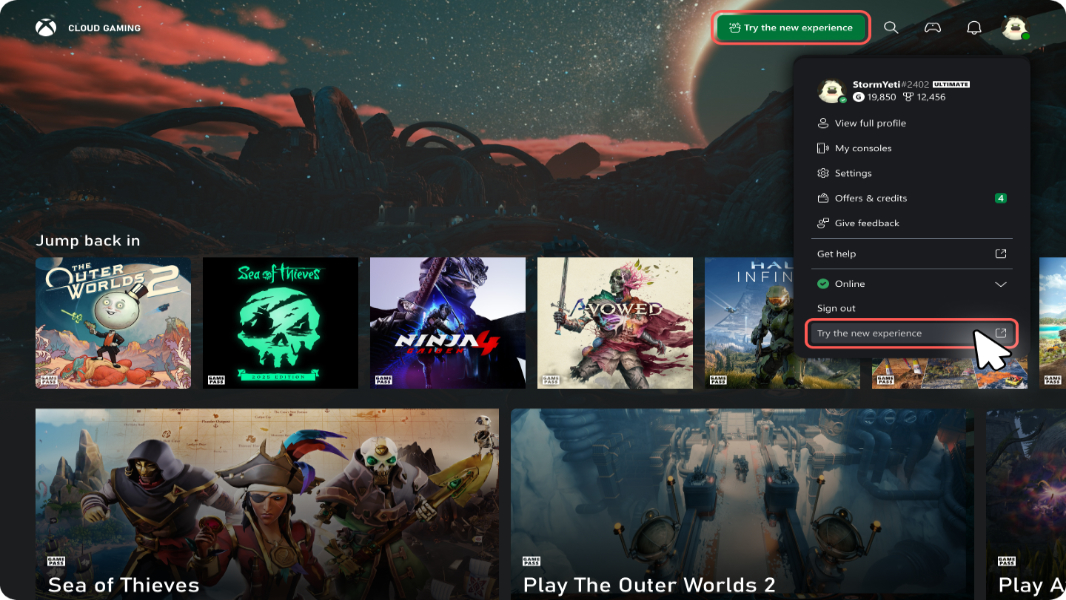
Microsoft is currently testing a refresh of the Xbox Cloud Gaming web experience through a public preview. This preview offers users a first look at the new web interface directly in their browser, allowing them to try out the updated design and product flow before it is rolled out more broadly.
Patrick Siu from Microsoft explains, “Players who opt in to this preview will see some changes to their experience including updated navigation features and a refreshed look and feel. As this is a preview, some functions may not yet be available or may behave differently than the current web experience. We will continue iterating during the preview period and changes may be made over time.”
To access the new Xbox Cloud Gaming web experience in public preview, simply open a web browser and navigate to xbox.com/play. After signing in to your Microsoft account, head to Settings and toggle the “Preview features” option to On. You should be able to start using the new experience immediately. If not, Microsoft suggests reloading the site.
Interestingly, there are no detailed descriptions about the new features or changes included in this update. Microsoft only notes that the refreshed web experience “lays the foundation for accelerating [their] ability to build new experiences for players” and helps them “validate the new web platform and refine the experience for everyone.”
This public preview represents an exciting step toward enhancing Xbox Cloud Gaming on the web, and players opting in will contribute valuable feedback as Microsoft continues to improve the platform.
https://www.thurrott.com/games/xbox/332080/microsoft-is-refreshing-the-xbox-cloud-gaming-web-experience